Welcome to AUP Learning Cloud Documentation#
AUP Learning Cloud is a tailored JupyterHub deployment designed to provide an intuitive and hands-on AI learning experience. It features a comprehensive suite of AI toolkits running on AMD hardware acceleration, enabling users to learn and experiment with ease.
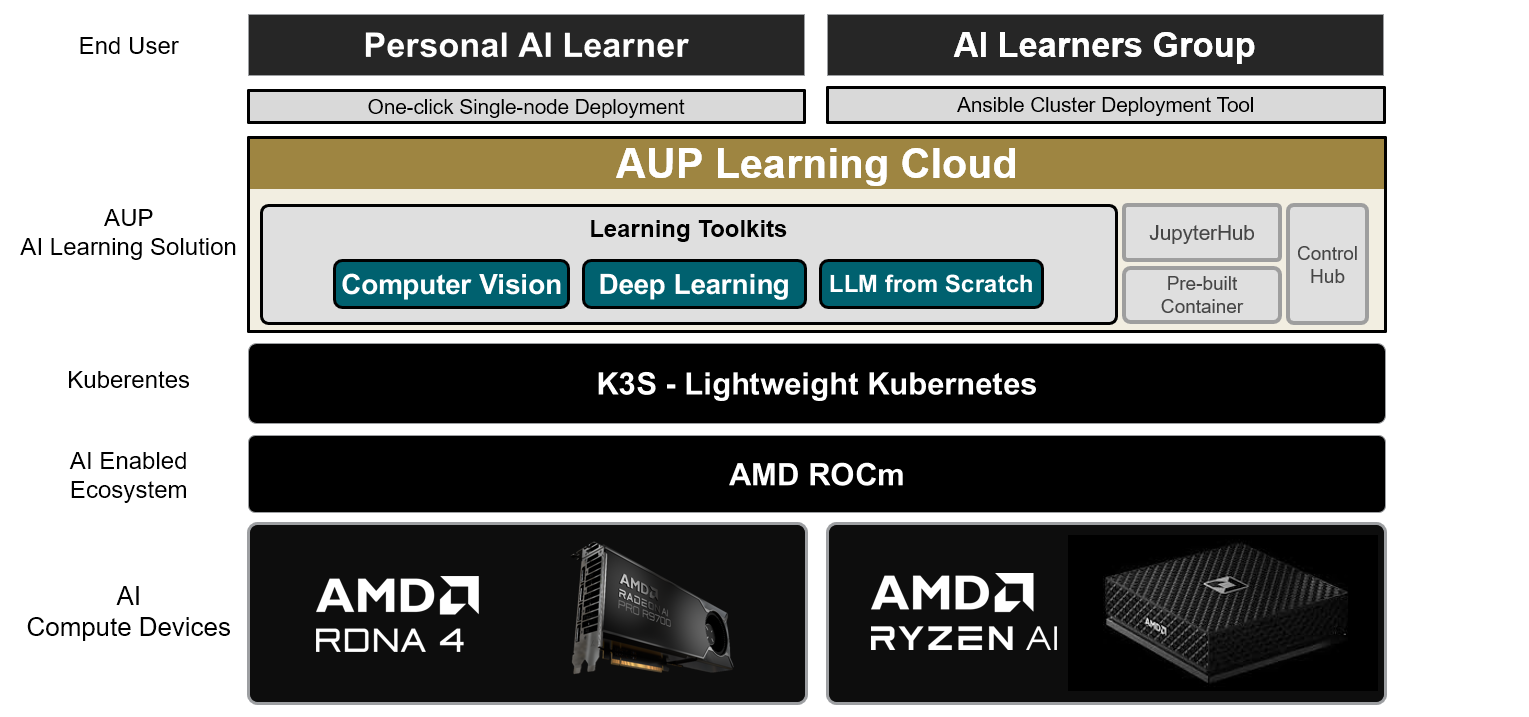
Choose Your Installation Path#
Start with the path that matches what you already have:
Local workstation: Use the Quick Start for a supported workstation that will run AUP Learning Cloud locally.
Existing Kubernetes: Use Deploy on an existing Kubernetes cluster for a running cluster that is ready for operator access.
New SSH-managed multi-node K3s: Use the multi-node K3s guide when each machine already has an operating system and is reachable over SSH.
Diskless PXE: Use the specialized PXE reference topology when diskless agents must network-boot from a service machine.